ระยะทางจริงและสถานะครูซ ในหน้าต่างเดียวYour real range and cruise status, in one floating window
Pace เป็นหน้าต่างลอยบนจอ Jaecoo 5 EV บอกระยะที่ยังวิ่งได้จากการขับจริงของคุณ บอกว่า ACC และ ICA กำลังทำอะไร และสรุปทุกทริปเมื่อเข้าเกียร์ P ทั้งหมดทำงานในรถ ไม่ใช้อินเทอร์เน็ต Pace floats on the Jaecoo 5 EV's screen. It shows the range you have left, measured from how you actually drive, what ACC and ICA are doing, and a summary of every trip when you shift to P. It all runs in the car, with no internet.

เปิดหน้านี้บนโทรศัพท์ AndroidOpen this page on your Android phone
สแกนด้วยกล้องโทรศัพท์ แล้วดาวน์โหลดจากที่นั่น หรือดาวน์โหลดไฟล์ APKScan it with the phone's camera and download there, or download the APK
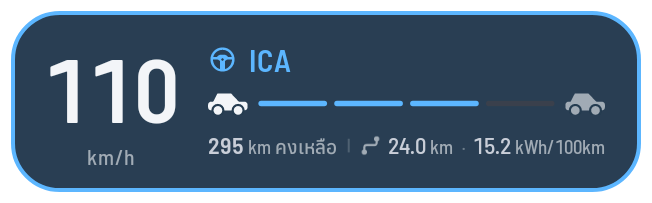
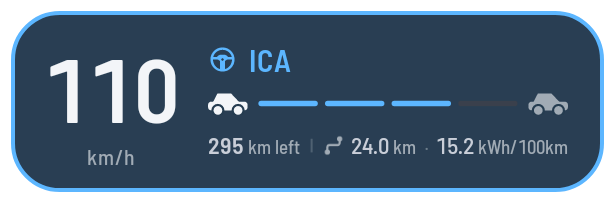
มากกว่าสถานะครูซMore than cruise status
ภาพจาก Pace บนรถจริง ด้วยข้อมูลทริปตัวอย่างCaptured from Pace on the car, with sample trips.
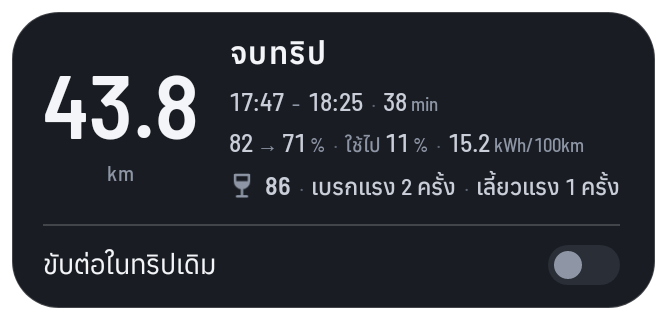
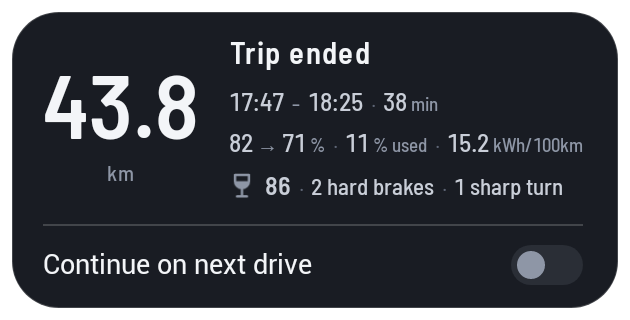
เข้าเกียร์ P เมื่อถึงที่หมาย การ์ดสรุปทริปให้ ทั้งเวลา แบตเตอรี่ที่ใช้ อัตราการใช้ไฟ และความนุ่มนวล แค่แวะพัก? เปิดขับต่อในทริปเดิม ทริปถัดไปจะนับรวมกับทริปนี้Shift to P at the end of a drive and the card sums it up: the time, the battery used, the consumption and how smoothly you drove. Only stopping briefly? Turn on Continue on next drive and the next leg joins this trip.
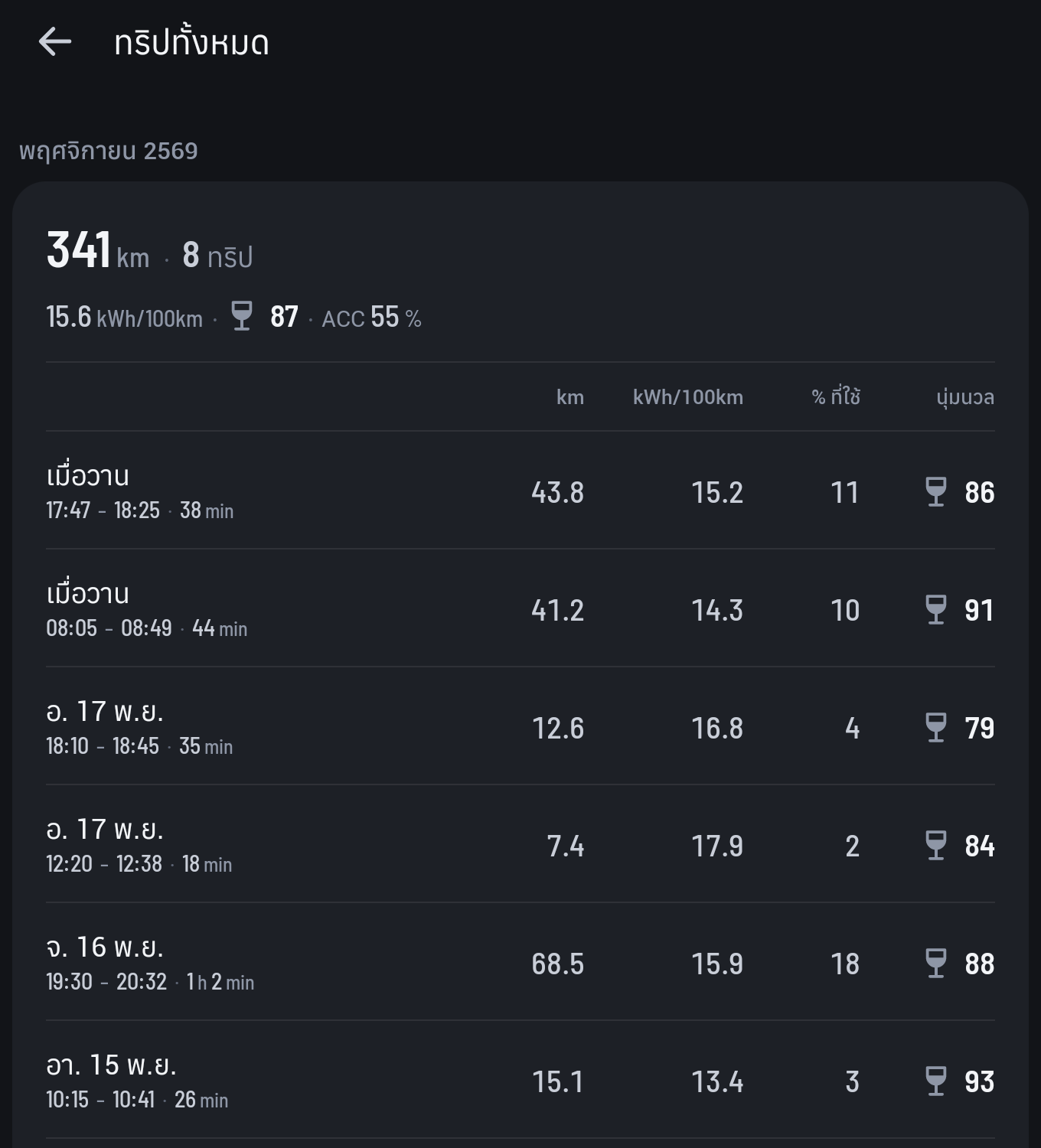
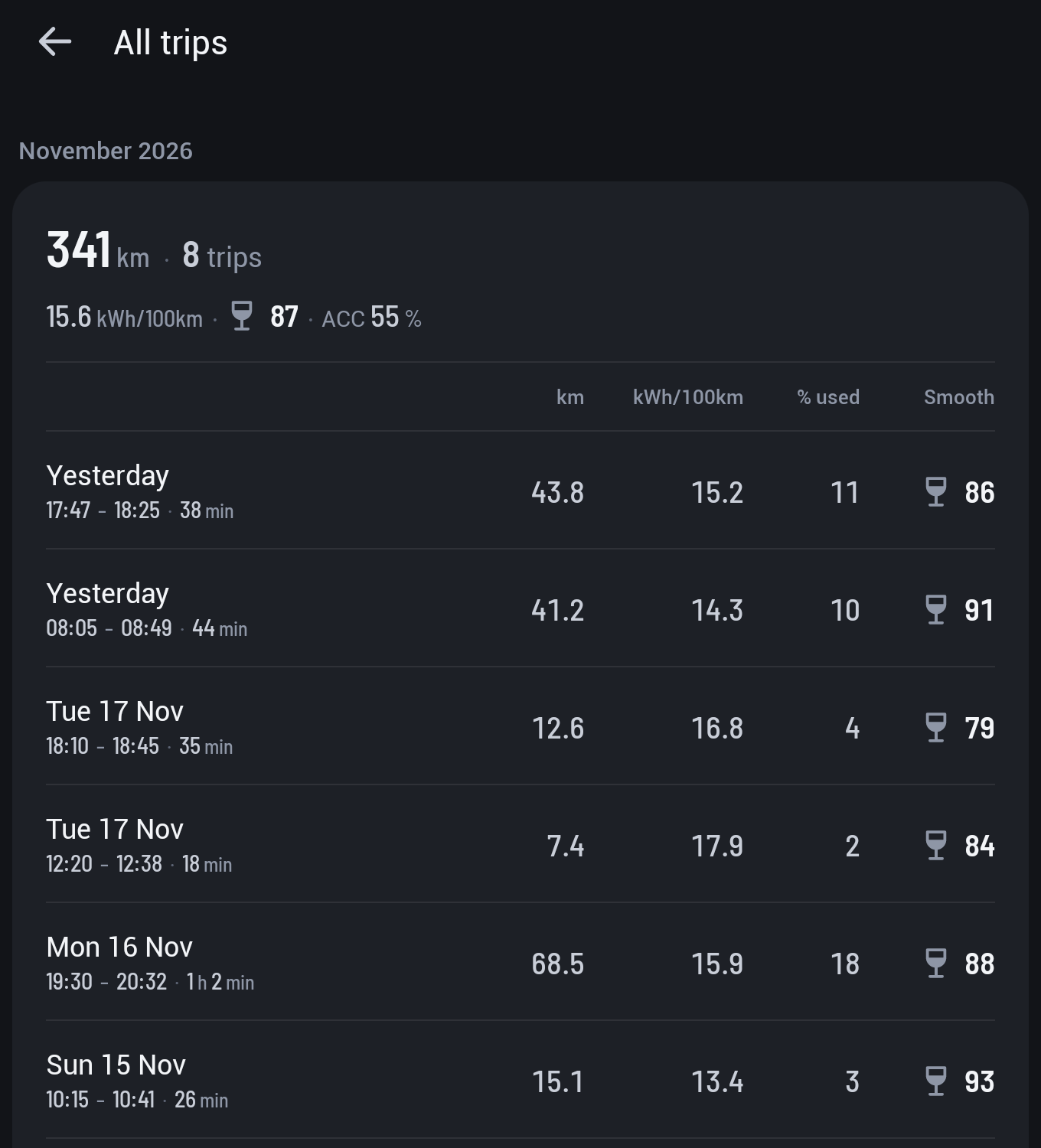
Pace เก็บทริปไว้ในรถ แต่ละเดือนบอกระยะทาง อัตราการใช้ไฟ ความนุ่มนวล และสัดส่วนที่ ACC ขับให้ ตามด้วยทุกทริปพร้อมแบตเตอรี่ที่ใช้ เปิดดูได้ที่ทริปทั้งหมดในหน้าจอ PacePace keeps your trips on the car: each month's distance, consumption, smoothness and how much of it ACC drove, then every trip with the battery it used. Open All trips from Pace's screen.
ติดตั้งจากโทรศัพท์ ไม่ต้องใช้คอมพิวเตอร์Installs from your phone. No computer needed.
- 1เปิด USB debugging ในรถTurn on USB debugging in the car
ทำครั้งเดียวในเมนูวิศวกรรมของรถ ตัวติดตั้งใช้ช่องทางนี้ส่ง Pace เข้ารถ ปิดได้หลังติดตั้ง และเปิดอีกครั้งเมื่อจะอัปเดตOnce, in the car's engineering menu. The installer sends Pace to the car this way. Turn it off after installing, and back on to update.
- 2ติดตั้งตัวติดตั้งบนโทรศัพท์Install the installer on your phone
เปิดไฟล์ที่ดาวน์โหลด แล้วกดอนุญาต "ติดตั้งแอปที่ไม่รู้จัก" เมื่อโทรศัพท์ถามOpen the downloaded file, and allow "Install unknown apps" when the phone asks.
- 3ต่อรถกับโทรศัพท์Put the car and phone on one network
ให้รถเชื่อมต่อฮอตสปอตของโทรศัพท์ หรือ Wi-Fi เดียวกับโทรศัพท์Connect the car to the phone's hotspot, or to the same Wi-Fi as the phone.
- 4ติดตั้ง PaceInstall Pace
เปิดตัวติดตั้ง กดค้นหารถ แล้วกดติดตั้ง Pace จะขึ้นบนหน้าโฮมของรถOpen the installer, tap Find my car, then Install. Pace appears on the car's home screen.
ควรรู้Good to know
ทริป ค่าเฉลี่ย และการตั้งค่าเก็บไว้ในรถ Pace ไม่ส่งอะไรออกไปไหนTrips, averages and settings are stored on the car. Pace sends nothing anywhere.
เปิดตัวติดตั้งแล้วเลือกถอนการติดตั้ง Pace จะหายไปจากรถทั้งหมดOpen the installer and choose Uninstall. Pace is removed from the car completely.
เวอร์ชันใหม่จะอยู่ที่หน้านี้ ติดตั้งทับได้เลย ทริปและการตั้งค่ายังอยู่ครบNew versions appear on this page. Install over the old one; your trips and settings stay.
ตัวติดตั้งยังไม่มีบน iPhoneThere's no installer for iPhone.
ตัวติดตั้งตรวจรุ่นรถก่อนติดตั้งทุกครั้งThe installer checks the car model before it installs anything.